How to increase phone's internal memory

Swap the internal storage of your android with External SD card . You can easily swap these two memories in your android device to boost up its performance. We will be looking at how to do this below:
In your android device the most of memory APIs are set as they will use System internal memory to work or do particular tasks on your android. But mostly this memory is very less compared to the external storage that we attach with our devices. And what if our android OS uses external memory space rather than using the internal space? It will be much more than internal storage and your android performance will also get the boost up. So here we have a solution by which you can easily swap these two memories in your android device to boost up its performance. Yes, it’s possible with this well known tweaker called Xposed installler.
The method is quite simple and just need a rooted android device that will allow a Xposed installer to run on a device. And after having the Xposed installer you will be using a Xposed module app to swap internal storage to Sd Card Storage in your device. Now letd head straight to the procedures...
Steps To Swap Internal Storage To Sd Card In Android
Step 1. First of all you need a rooted android as Xposed installer can only be installed on a rooted android, so Root your android to proceed.Swap Internal Storage To Sd Card In Android
Step 2. After rooting your android device you have to install the Xposed installer on your android and that’s quite a lengthy process and for that, you can proceed with our Guide to Install Xposed Installer On Android.

Step 3. Now after installing the Xposed module you need a cool Xposed module that will allow you to Swap this two storage in your android and for this you will use the XInternalSD. module.
Step 4. Now install the app in the Xposed module but you need to reboot your android device for the the module to function properly.
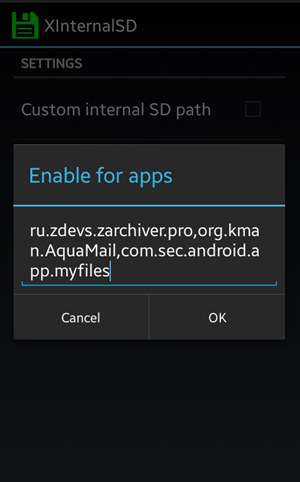
Step 5. Now you will see the apps for which you want to change the default APIs of storage and simply click on Change
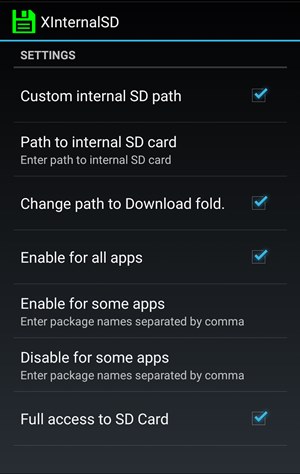
Step 6. Now you need to edit some other settings on the next page and you can do that according to your wish.
That’s it! you are done, now the Storage APIs are changed and that apps will access its space from SD card and you device performance will now boost up.
Using PR Swap SD:
Step 1. First of all, you need to root your Android device. Because this process needs a rooted phone.
.

Step 2. Once Rooted, you need to enable the Module “PRSwap SD” from Xposed framework
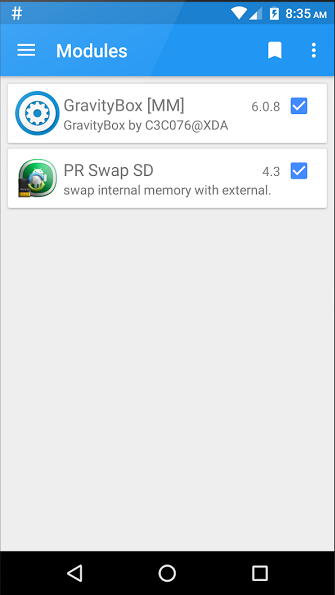
Step 3. After you enabled the module you need to restart your Phone
Step 4.Open PR Swap SD and there you will see the screen like below.
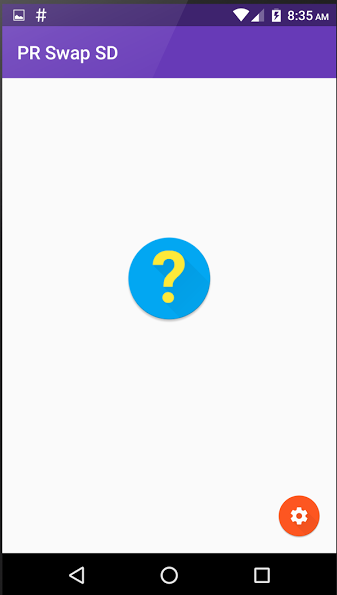
Step 5. Now there you need to tap on settings icon, and enable whatever you want.
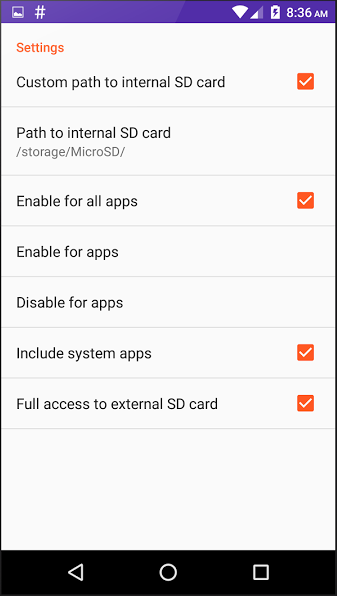
Step 6. If you want to configure which app will not use SD card as primary then you can click on setting and then choose the option “Enable For Apps” for selected apps.

That’s it! You are done. Now you can swap internal memory with External memory!
share your thoughts and comments below....


Comments
Post a Comment